
# Subtitles
ByteArk Player shows subtitles from the video's HLS or DASH manifest, and viewers pick a language from Settings → Subtitles/CC. This page covers two ways to control how subtitles are displayed:
- Rolling captions show subtitles as a rolling two-line stack.
- Hiding and showing the subtitle display lets your page hide the captions on screen without changing the selected subtitle.
To show a subtitle button on the control bar, set closedCaptionButton: true. See Player Options.
# Rolling captions
With rolling captions, the player shows subtitles as a two-line stack instead of one line at a time. When a new line appears, the previous line moves up and dims, so a viewer who missed a line can still read it. At the start of playback only one line shows, and it fills to two as dialogue continues.
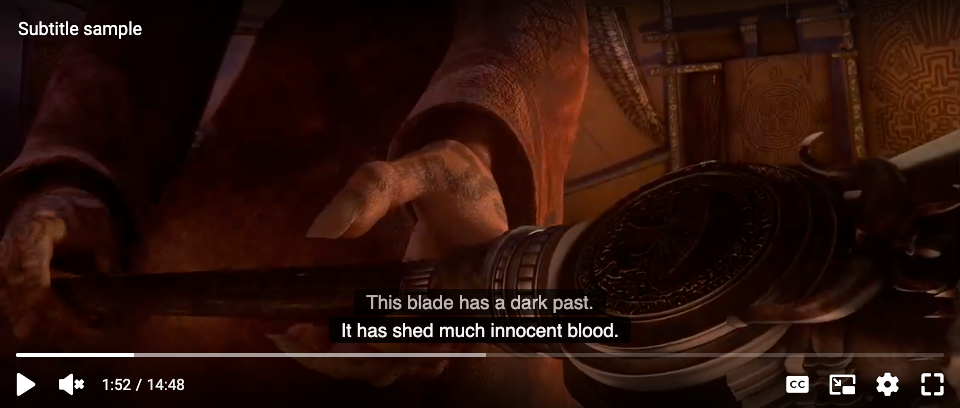
The demo turns on the English subtitles. Pick another language from the CC button or Settings → Subtitles/CC.
# Options
| Name | Type | Default | Description |
|---|---|---|---|
| subtitleAnimation | Object | - | Rolling captions configuration |
| subtitleAnimation.enabled | Boolean | false | Turn rolling captions on |
| subtitleAnimation.idleClearMs | Number | 5000 | How long (milliseconds) the lines stay on screen after the dialogue stops, before they clear. The countdown runs only during silence, and pauses with playback. Must be from 0 to 2147483647; any other value is replaced with the default and a console warning. |
| subtitleAnimation.historyOpacity | Number | 0.7 | Opacity of the dimmed previous line, from 0.6 to 1. A lower value is raised to 0.6 to keep the text readable, and a higher one is lowered to 1, each with a console warning. |
The options are read once when the player is created. Changing them later has no effect.
<!doctype html>
<html>
  <head>
    <meta charset="utf-8">
  </head>
  <body>
    <div id="video-player"></div>
    <script src="https://byteark-sdk.cdn.byteark.com/player/v2/byteark-player.min.js"></script>
    <script>
      bytearkPlayer('video-player', {
        fluid: true,
        closedCaptionButton: true,
        subtitleAnimation: {
          enabled: true,
          idleClearMs: 5000,
          historyOpacity: 0.7
        },
        sources: [{
          title: 'Subtitle sample',
          src: 'https://byteark-playertzxedwv.stream-playlist.byteark.com/streams/TZyZhhLbiVxG/playlist.m3u8',
          type: 'application/x-mpegURL'
        }]
      });
    </script>
  </body>
</html>
2
3
4
5
6
7
8
9
10
11
12
13
14
15
16
17
18
19
20
21
22
23
24
25
26
# Before you enable it
- If your subtitles use WebVTT positioning, leave it off. Rolling captions are always at the bottom and cannot follow
line,position,align,size,verticalorregion. Subtitles placed at the top of the frame, for example to avoid on-screen graphics, will move to the bottom. - On Safari and iOS, the viewer's system caption settings no longer apply. The browser's own captions follow Settings → Accessibility → Subtitles & Captioning; rolling captions do not. If your viewers rely on those settings, leave it off.
# What changes when it is on
- Text size follows the player, at about 5% of the player's height.
- A line stays on screen after its end time until the next one replaces it, or until
idleClearMspasses without dialogue. - The caption area is taller, between one and four lines of text. Long lines wrap; nothing is cut off.
- The lines reset on a seek, a subtitle language change, captions turned off and on, a new video or playlist item, the start of an ad break, and the end of playback. Pausing does not reset them.
- Reduced motion is respected. For a viewer with the system's reduce-motion setting, the two lines and the dimming stay, but the movement is removed.
- Picture-in-Picture, native iPhone fullscreen, AirPlay and Chromecast show the browser's own captions instead, and rolling captions take over again when the viewer returns.
# Hiding and showing the subtitle display
Hide the subtitles on screen without changing anything else. Only the captions on screen disappear: the viewer can still pick a subtitle from the menu, and subtitle events still fire. The player starts with the display visible.
# Methods
Call these once the player is ready, in the ready callback of bytearkPlayer(id, options, ready) or later. Calling them earlier throws TypeError: player.hideSubtitleDisplay is not a function.
| Method | Return | Description |
|---|---|---|
player.hideSubtitleDisplay() | - | Hide the captions on screen |
player.showSubtitleDisplay() | - | Show them again. The current caption reappears at once. |
player.isSubtitleDisplayVisible() | Boolean | true unless the display has been hidden |
# Events
| Event | Description |
|---|---|
subtitledisplaychange | The display was hidden or shown. event.visible is the new state. Hiding when already hidden, or showing when already shown, does nothing and fires nothing. |