
# Instream via iframe
Take the iframe code of each video in ByteArk Stream and use it directly on your website.
Using a video from ByteArk Stream via iframe is quick because it can be installed on your website immediately without editing any code. It works much like embedding a video from YouTube or Dailymotion.
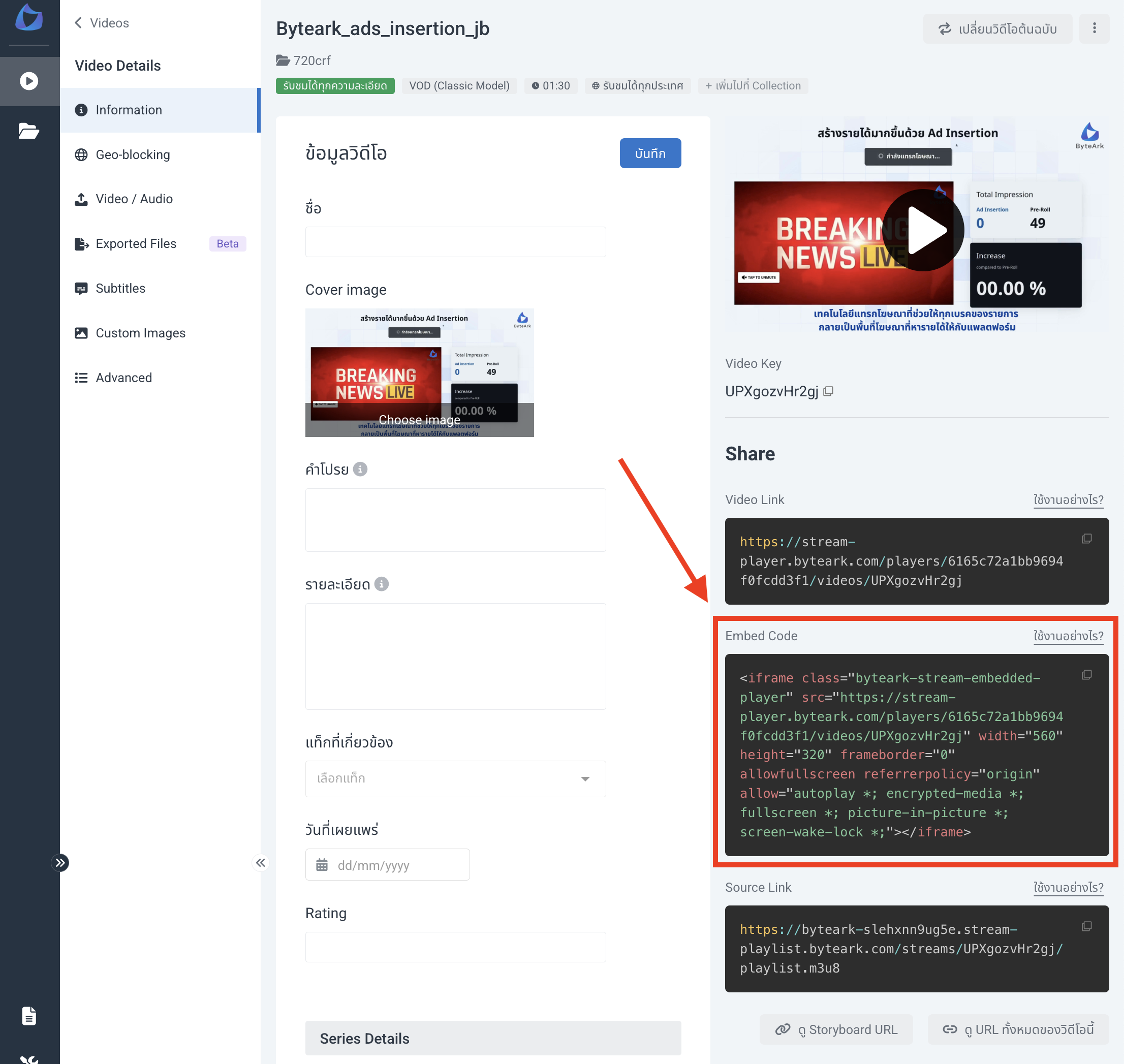
Note: Copy the iframe code from the Embed Code tab of a video in ByteArk Stream. See Upload Video for the steps.
# Example
<!doctype html>
<html>
  <head>
    <meta charset="utf-8">
  </head>
  <body>
    <iframe
      class="byteark-stream-embedded-player"
      src="https://stream-player.byteark.com/players/6165c72a1bb9694f0fcdd3f1/videos/UPXgozvHr2gj"
      width="560"
      height="320"
      frameborder="0"
      allowfullscreen
      referrerpolicy="origin"
      allow="autoplay *; encrypted-media *; fullscreen *; picture-in-picture *; screen-wake-lock *">
    </iframe>
  </body>
</html>
1
2
3
4
5
6
7
8
9
10
11
12
13
14
15
16
17
18
2
3
4
5
6
7
8
9
10
11
12
13
14
15
16
17
18