
# Install Ad Tag
After obtaining a VAST Tag from Google Ad Manager or an ad system that follows the same standard, configure the value in the ByteArk system.
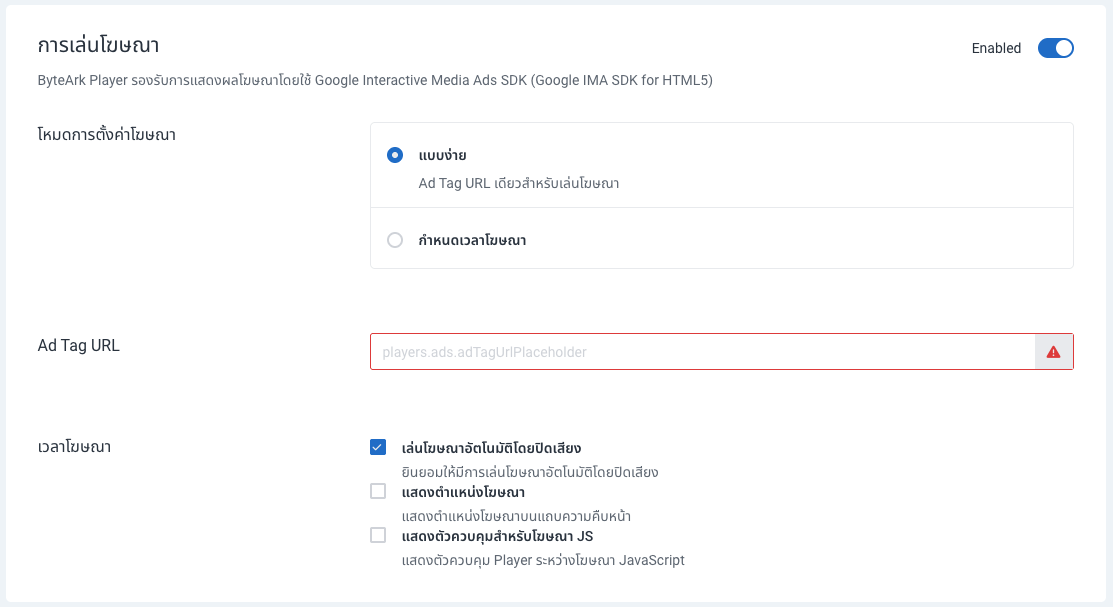
Sign in to ByteArk Stream, then go to Manage → Video Publishing → Video Embedded Player → Advertising, and switch the status to Enabled. Then specify the VAST-compliant Ad Tag URL in one of two ways.
# Simple
Specify a single Ad Tag URL, which displays the ad before the video starts (Preroll).
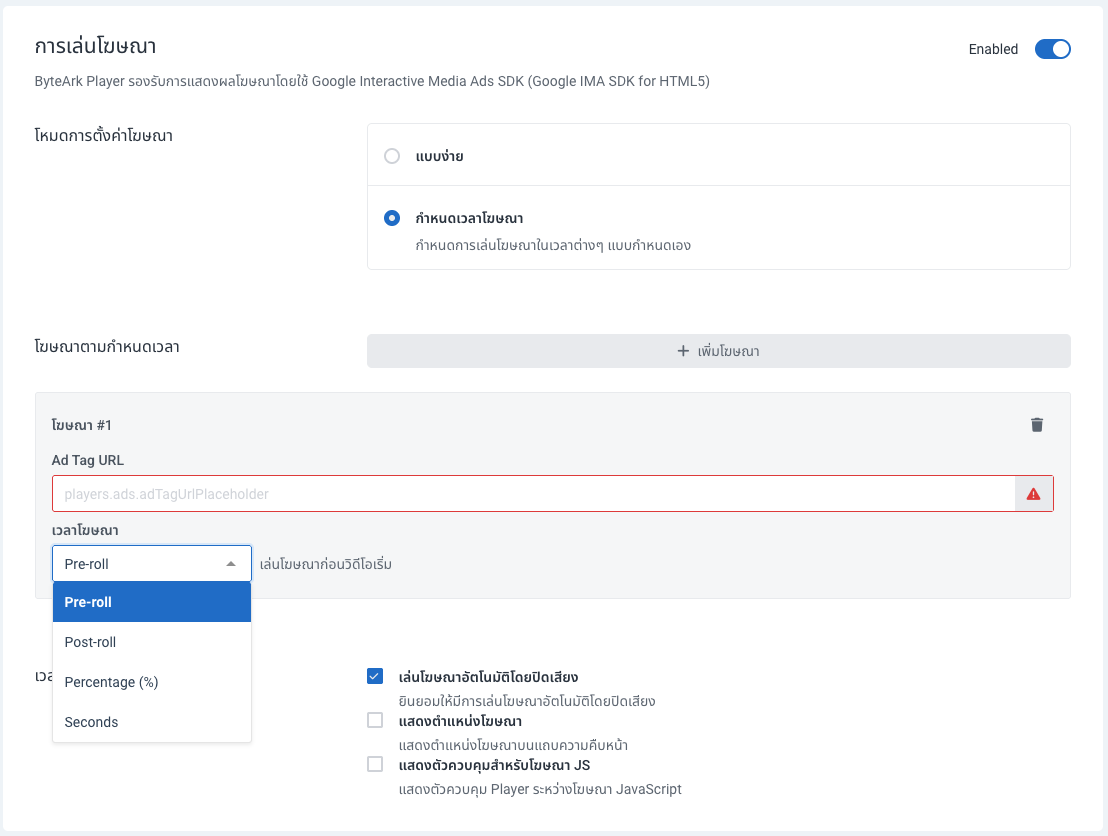
# Scheduled
Specify multiple Ad Tag URLs and set where each ad is displayed:
- Preroll: play the ad before the video starts
- Postroll: play the ad after the video ends
- Percentage: play the ad at a percentage of the video length
- Seconds: play the ad at a specified second
After specifying the Ad Tag URLs, click Save at the top right. Videos displayed through the embed code will then load ads automatically as configured.
Note: To configure ads on the code side directly (for example, via the
bytearkAdsplugin), see Advertising in ByteArk Player.