
# Apple Quality Switcher
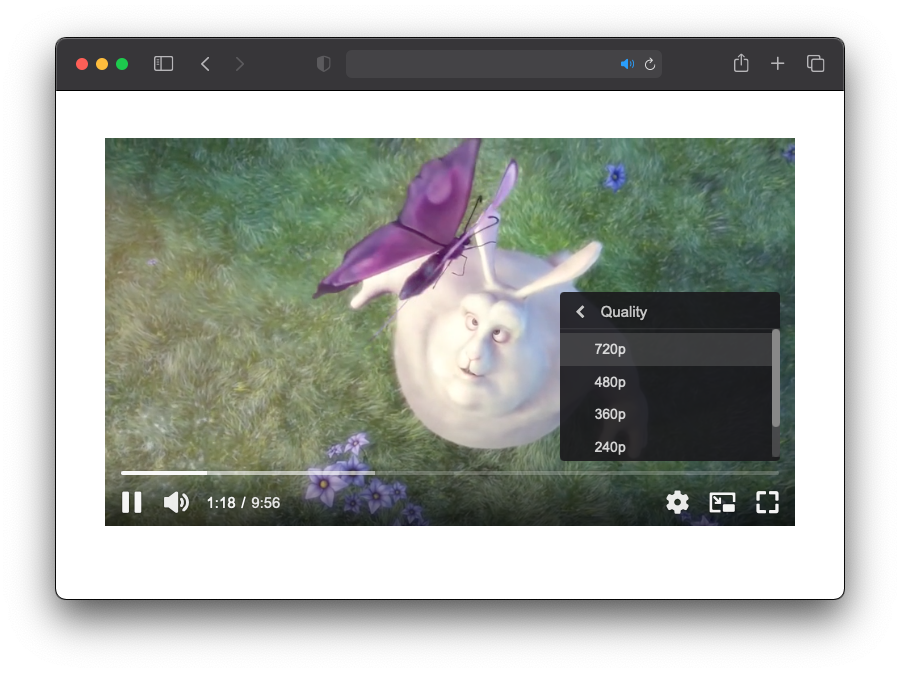
เนื่องจากการเล่นวิดีโอแบบ HLS บนอุปกรณ์ต่างๆของ Apple เช่น Safari บน macOS, Safari บน iOS/iPadOS นั้นผู้ชมจะไม่สามารถเลือกความละเอียดของการเล่นวิดีโอได้ เนื่องจากอุปกรณ์จะทำการคำนวณความละเอียดที่เหมาะสมกับการเล่นวิดีโอให้เอง
ทำให้ทาง ByteArk ได้พัฒนา Apple Quality Switcher Plugin ขึ้นมาใน ByteArk Player เพื่อตอบสนองความต้องการของผู้ชมบนอุปกณ์ของ Apple ที่ต้องการเลือกความละเอียดในการเล่นวิดีโอด้วยตัวเอง
# การแสดงผล Apple Quality Switcher
# การเปิดใช้งาน Apple Quality Switcher Plugin
- การเปิดใช้งาน Apple Quality Switcher Plugin บน ByteArk Player สามารถทำได้โดยระบุ
plugins.appleQualitySwitcherในoptionsเมื่อทำการสร้าง video player
{
  fluid: true,
  poster: '/assets/samples/player/images/poster-big-buck-bunny.jpg',
  sources: [{
    title: 'Big Buck Bunny',
    src: 'https://byteark-playertzxedwv.stream-playlist.byteark.com/streams/TZyZheqEJUwC/playlist.m3u8',
    type: 'application/x-mpegURL'
  }],
  plugins: {
    appleQualitySwitcher: {
    }
  }
}
1
2
3
4
5
6
7
8
9
10
11
12
13
2
3
4
5
6
7
8
9
10
11
12
13
# ตัวอย่าง
<!doctype html>
<html>
  <head>
    <meta charset="utf-8">
  </head>
  <body>
    <div id="video-player"></div>
    <script src="https://byteark-sdk.cdn.byteark.com/player/v2/byteark-player.min.js"></script>
    <script>
      var player = bytearkPlayer('video-player', {
        fluid: true,
        poster: '/assets/samples/player/images/poster-big-buck-bunny.jpg',
        sources: [{
          title: 'Big Buck Bunny',
          src: 'https://byteark-playertzxedwv.stream-playlist.byteark.com/streams/TZyZheqEJUwC/playlist.m3u8',
          type: 'application/x-mpegURL'
        }],
        plugins: {
          appleQualitySwitcher: {
          }
        }
      });
    </script>
  </body>
</html>
1
2
3
4
5
6
7
8
9
10
11
12
13
14
15
16
17
18
19
20
21
22
23
24
25
2
3
4
5
6
7
8
9
10
11
12
13
14
15
16
17
18
19
20
21
22
23
24
25